Are your supplements actually working?Are your supplements actually working?
Monitor your routine and effectsMonitor your routine and effects
Understand the effects of your supplementsUnderstand the effects of your supplements
Have personalised AI insightsHave personalised AI insights
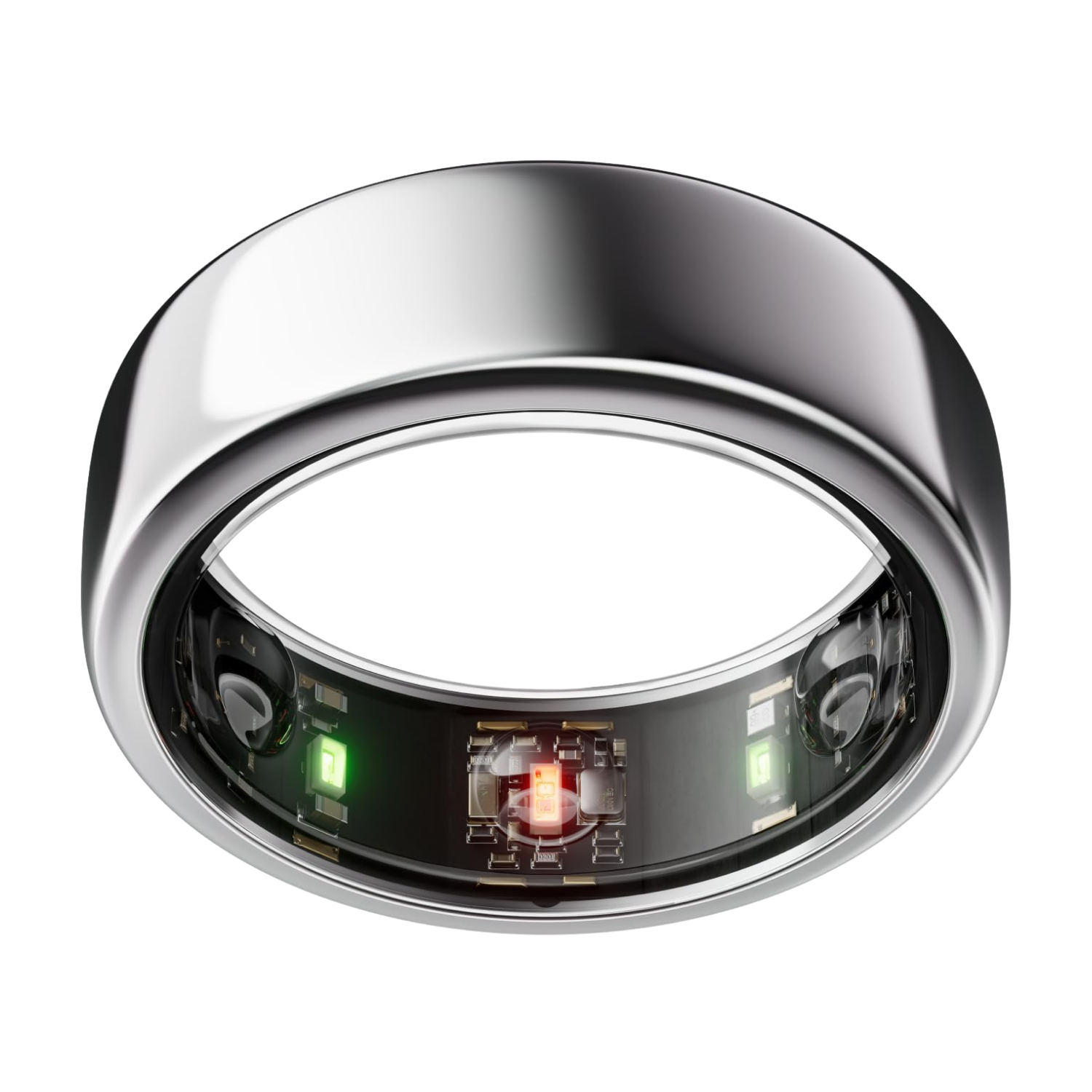
An OURA ring

Effortless Integration

Integrates with your OURA ring.
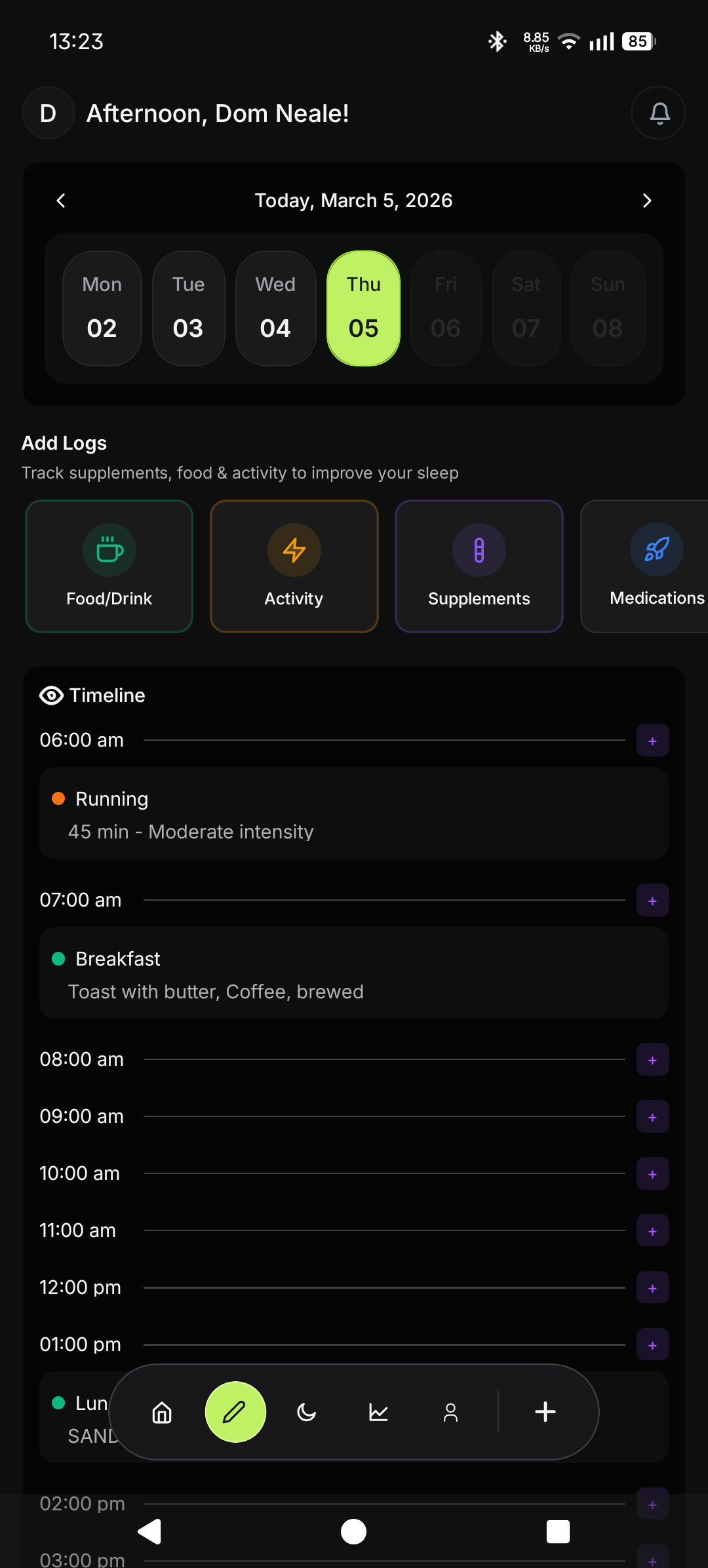
Image of the phone app showing the layout of the dashboard page

Effortless Tracking

Simplify your day with auto-populated logs. No extra work needed.

For Biohackers, by Biohackers

Built to optimise

Icon of a pen
Track
Automatically keep track of sleep, recovery, stress and readiness. Log supplements, food, activity, medications and symptoms; collecting vital data to make the most informed decisions.
Analyse
Easily turn recorded data into personal and simple to understand insights and graphs. Use the information to make informed decisions about your health.
Action
Take action to improve your health with reliable data to help guide you. Staying healthy should not be based on guessing.
Easy to Use
Designed to fit seamlessly into your life.
Log, navigate, and analyse your data effortlessly—no complexity, no disruption, just simple, intuitive tracking.
Stay Up to Date
Build consistent habits that last.
Use streaks to stay motivated, stay on track, and make healthy routines part of your everyday life.
Anonymous Accounts
Your privacy comes first.
We only use your email for secure login—your name and data remain private, protected, and always under your control.

Adding the App for Apple Users


1. Go to the Safari app on your Apple product.

2. Go to our web app.

3. Tap the elipsis, then tap Share.

Apple users can use EVOLV with full functionality through the web app, and even add it as an app icon to their homescreen while we are working on making it native to the app store.

An image with diagrams of the steps to add the web app as a homepage icon.

4. Scroll down the list of options, then tap Add to Home Screen.
    
If you don’t see Add to Home Screen, you can add it.
   
Scroll down to the bottom of the list, tap Edit Actions. Then tap the plus, Add to Home Screen.

Apple users can use EVOLV with full functionality through the web app, and even add it as an app icon to their homescreen while we are working on making it native to the app store.

An image with diagrams of the steps to add the web app as a homepage icon.

5. Turn on Open as Web App.

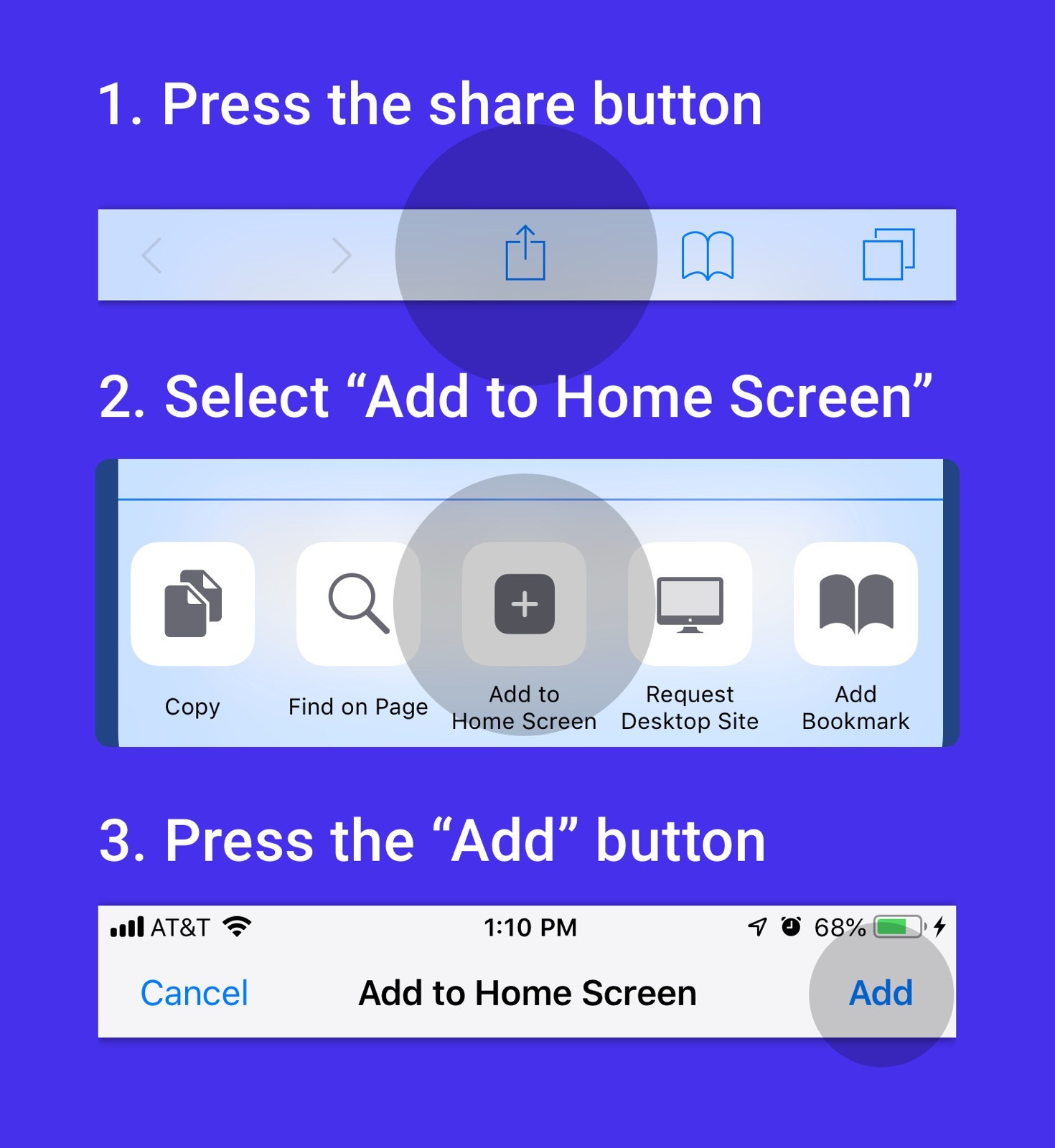
6. Tap Add.

An icon for the web app is added to your Home Screen.

When you tap the icon, the website opens just like an app.

Apple users can use EVOLV with full functionality through the web app, and even add it as an app icon to their homescreen while we are working on making it native to the app store.

An image with diagrams of the steps to add the web app as a homepage icon.

Any questions?
We're here to help!

Is EVOLV available on the Apple App Store?
EVOLV is not yet available on the Apple App Store - but we're actively working on bringing the app to IOS users.

In the meantime, you can use the web version of EVOLV with the same core functionality and experience.
Add EVOLV to your Home Screen (Apple Users)
1. Go to the Safari app on your iPhone.

2. Go to the website.

3. Tap the ellipsis, then tap Share.

4. Scroll down the list of options, then tap Add to Home Screen.
     If you don’t see Add to Home Screen, you can add it.
     Scroll down to the bottom of the list, tap the box with an arrow.
     Edit Actions, then tap the plus, Add to Home Screen.

5. Turn on Open as Web App.

6. Tap Add.

Using EVOLV as a web app gives you an app-like experience directly from your Home Screen.

Once added, EVOLV launches just like a native app and supports notifications and seamless access directly from your Home Screen.
Step-by-step guide to add a website to home screen: press the share button, select 'Add to Home Screen,' then press the 'Add' button.
How do I sync my OURA data to EVOLV?
Syncing your Oura data is automatic.

1. Open the Oura App
2. Open EVOLV

Your latest data - including sleep, stress, readiness and recovery metrics - will automatically sync and display inside EVOLV.
How do I log an item?
1. Open the Logging menu
   a. Desktop: left-hand sidebar
   b. Mobile: floating pencil or plus (+) button
2. Select the type of log you want to create
   a. Food & Drink
   b. Supplements
   c. Activity
   d. Medications
   e. Symptoms
   f. Bowel Movements
3. Enter your details such as time, date, notes or any other fields
4. Tap Log to save your entry
What gets logged automatically?
All supported Oura metrics automatically sync into EVOLV (once Oura's app has been opened) including:

- Sleep
- Stress
- Readiness
- Recovery
- Activity

Lifestyle logs are entered manually, but EVOLV includes auto-population features like supplement stacks and meal templates to reduce repetitive logging.
How does Supplement Impact Analysis work?
Impact Analysis helps you understand how a change in your supplement routine affects your body.

Here's how it works:

- Your baseline period represents your normal routine
- Your test period is when you introduce a lifestyle change

EVOLV compares the results between both periods and visualises:

- Performance changes
- Trends over time
- Percntage increase or decrease from your baseline

This makes it easier to identify what's genuinely helping - or hurting - your wellbeing.
Will EVOLV support more wearables in the future?
Yes. We're actively working on expanding EVOLV beyond Oura to support additional wearable devices in the future.

Our goal is to create a more connected and comprehensive health optimisation platform.
Can I delete my personal data?
Yes - your data always remains under your control.

To permenantly delete your account and data:

Desktop

- Go to the More tab
- Scroll down and select Request Data Deletion

Mobile

- Open the Account tab
- Select Request Data Deletion

You'll be asked to confirm before your data is permenantly removed.
Get it on Google Play button with Google Play colorful triangle logo.